
Factory Automation PC Guide
How to choose an industrial PC for factory automation: 24/7 reliability, wide temperature, vibration resistance, industrial I/O, and SCADA/MES support.
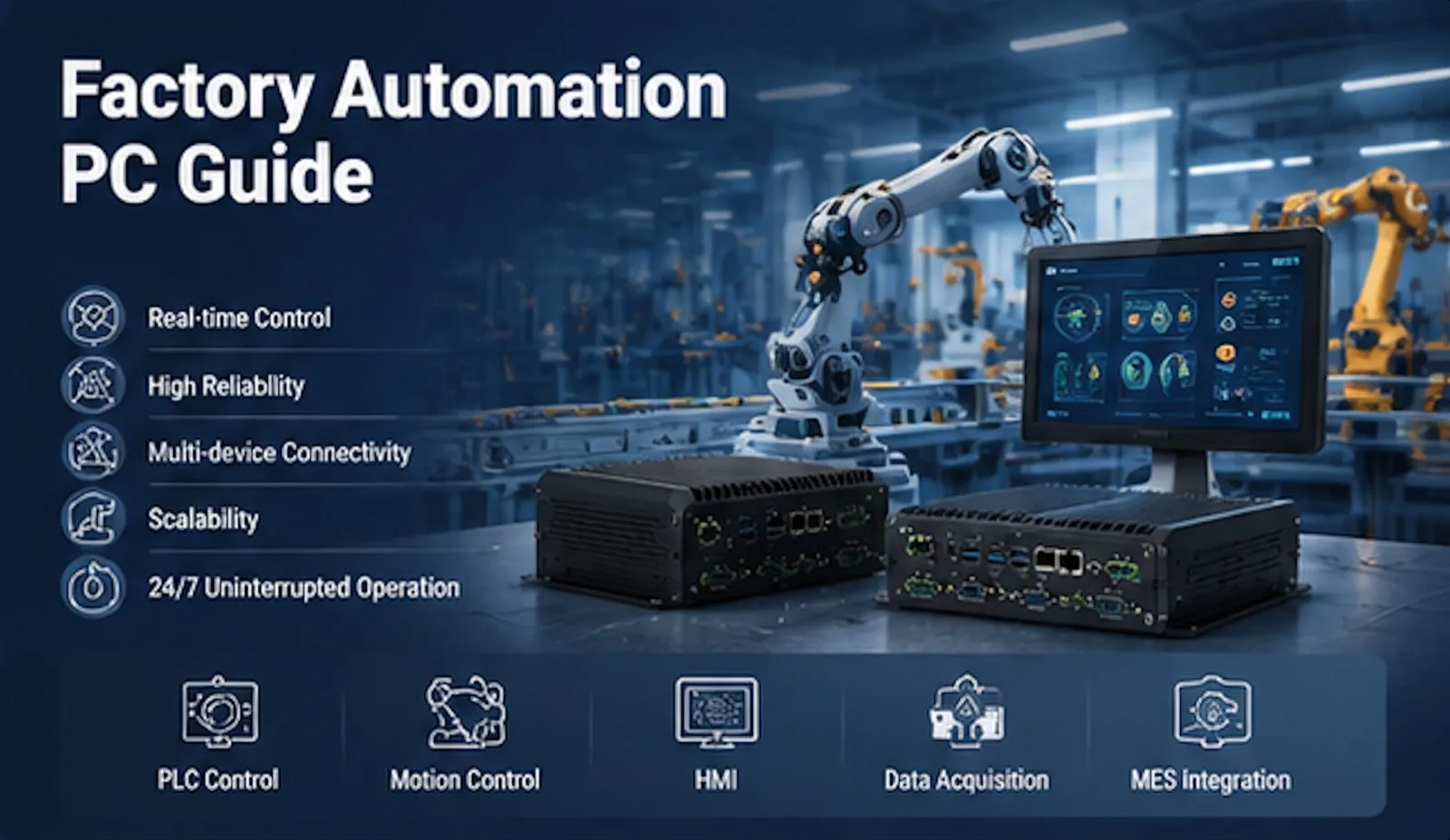
How to Choose an Industrial PC for Factory Automation Selecting the right industrial PC (IPC) is one of the most important decisions in factory automation projects. Unlike office computers, industrial PCs must run reliably 24/7 in harsh environments—dust, vibration, temperature extremes, electromagnetic interference, and continuous operation—while supporting real-time control, data acquisition, HMI, machine vision, edge computing, and SCADA/MES systems. A poorly chosen unit leads to downtime, higher maintenance costs, and compatibility issues. A well-matched IPC improves uptime, simplifies integration, and lowers total cost of ownership over a 7–15 year lifecycle. Here is a practical, step-by-step guide to choosing the right industrial PC for factory automation.
- Start with the Application and Workload Define exactly what the IPC will do before looking at hardware:
Basic HMI / data collection / simple PLC gateway → lower-power Celeron or ARM processors often suffice. Multi-tasking SCADA, MES clients, multiple displays → Intel Core i3/i5 class. Machine vision, AI inference, high-speed data processing, or digital twins → Core i7 or higher, possibly with GPU/VPU support.
List every connected device (PLCs, sensors, cameras, barcode scanners, RFID readers) and the software stack (Windows, Linux, real-time OS, specific drivers). This determines CPU, RAM, storage endurance, and I/O needs. 2. Evaluate the Operating Environment Factory floors vary widely. Match the IPC to actual conditions:
Temperature: Standard industrial range is often 0–50 °C or 0–60 °C. Unheated warehouses, outdoor installations, or near ovens may require –20 °C to 70 °C (or wider). Dust, moisture, and washdown: Look for IP65 or higher front-panel ratings on panel PCs; fully sealed fanless designs for dusty or humid areas. Shock and vibration: Prefer solid-state storage (SSD or eMMC), soldered components where possible, and designs tested to industrial vibration standards. EMI/EMC: Factory power and motors create noise; industrial-grade power supplies and isolation help.
Fanless designs eliminate the most common point of failure (fans and dust buildup) and are strongly preferred for most automation applications. 3. Choose the Right Form Factor Common options for factory automation:
Embedded / Box PCs (fanless mini PCs): Compact, DIN-rail or wall-mountable, ideal for machine control cabinets, edge gateways, and equipment integration. Panel PCs / All-in-one touch systems: Display + computer in one unit. Best for operator stations, HMIs, and machine interfaces. Screen sizes typically 7–32 inches; choose resistive touch for gloved operation or projected capacitive for multi-touch. Rackmount systems: Higher performance and expansion for SCADA servers or centralized computing.
Mounting method (panel cut-out, VESA, DIN rail, wall) and available space must be confirmed early. 4. Specify Performance, Memory, Storage, and Expansion
CPU: Match to workload (see above). Industrial processors offer longer availability roadmaps (often 7–15 years) than consumer chips. RAM: 4–8 GB for basic tasks; 8–16 GB for multitasking; 16 GB+ for vision or analytics. Prefer industrial-grade, wide-temperature modules. Storage: Industrial SSDs with high write endurance for continuous logging. Avoid HDDs in vibrating environments. I/O and connectivity: Critical for automation. Typical requirements include multiple RS-232/422/485 serial ports, dual Gigabit Ethernet (for redundancy or different networks), USB 3.x, digital I/O/GPIO, and support for industrial protocols (Modbus, PROFINET, EtherCAT, etc.). Expansion via Mini-PCIe, M.2, or PCIe slots allows future cards (frame grabbers, fieldbus, wireless). Power input: Wide-range DC (e.g., 9–36 V) is common and more tolerant of plant-floor voltage fluctuations than pure AC.
- Prioritize Reliability, Lifecycle, and Support
Long-term availability of the exact configuration. MTBF ratings, wide-temperature testing, and certifications (CE, FCC, RoHS, and industry-specific ones where needed). Warranty length and local or responsive technical support. Pre-installed, long-term supported OS options (Windows IoT Enterprise LTSC, Linux distributions).
Total cost of ownership matters more than upfront price. A slightly more expensive, properly specified IPC that runs for a decade with minimal intervention is far cheaper than frequent replacements or production stoppages. 6. Consider Future Scalability and Supplier Capability Factories evolve. Choose a platform with headroom for additional I/O, higher performance variants, or software upgrades. Work with a supplier that offers modular designs, customization (I/O, branding, pre-configuration), and proven experience in industrial automation. How IPCTech Addresses These Requirements IPCTech (Zhengzhou Qiyang Industrial Control Technology) specializes in industrial computing solutions engineered for multi-environment factory automation. Key strengths include:
Modular designs with strong environmental adaptability (wide temperature operation, fanless options, robust enclosures). Flexible series such as the P8000 (high expandability and resilience for complex automation, energy, and manufacturing) and P5000, plus dedicated Android/Linux series for lighter IoT and data-acquisition nodes. Screen sizes from 7 to 32 inches, Intel Celeron to Core i-series processors, rich industrial I/O, and customization capabilities. Rigorous testing (high/low temperature, vibration, impact, EMI) and quality systems aligned with industrial needs. Focus on long-term reliability for continuous operation in demanding settings.
These capabilities help system integrators and end users match hardware precisely to application, environment, and lifecycle requirements. Quick Selection Checklist
Define application workload and software. Map the real operating environment (temperature, dust, vibration, power quality). List all required I/O and protocols. Select form factor and mounting. Size CPU/RAM/storage with headroom. Confirm industrial-grade reliability features and lifecycle commitment. Evaluate supplier customization and support. Calculate total cost of ownership, not just purchase price.
Choosing an industrial PC is not about finding the highest specifications—it is about finding the right balance of performance, durability, connectivity, and long-term support for your specific factory automation needs. Taking a structured approach from application requirements outward dramatically reduces risk and delivers better results on the plant floor. For tailored recommendations based on your exact use case, consult an experienced industrial computing partner who understands both the technical and operational realities of modern manufacturing.